OneClean
Show before you delete. Clean your Mac with zero surprises.
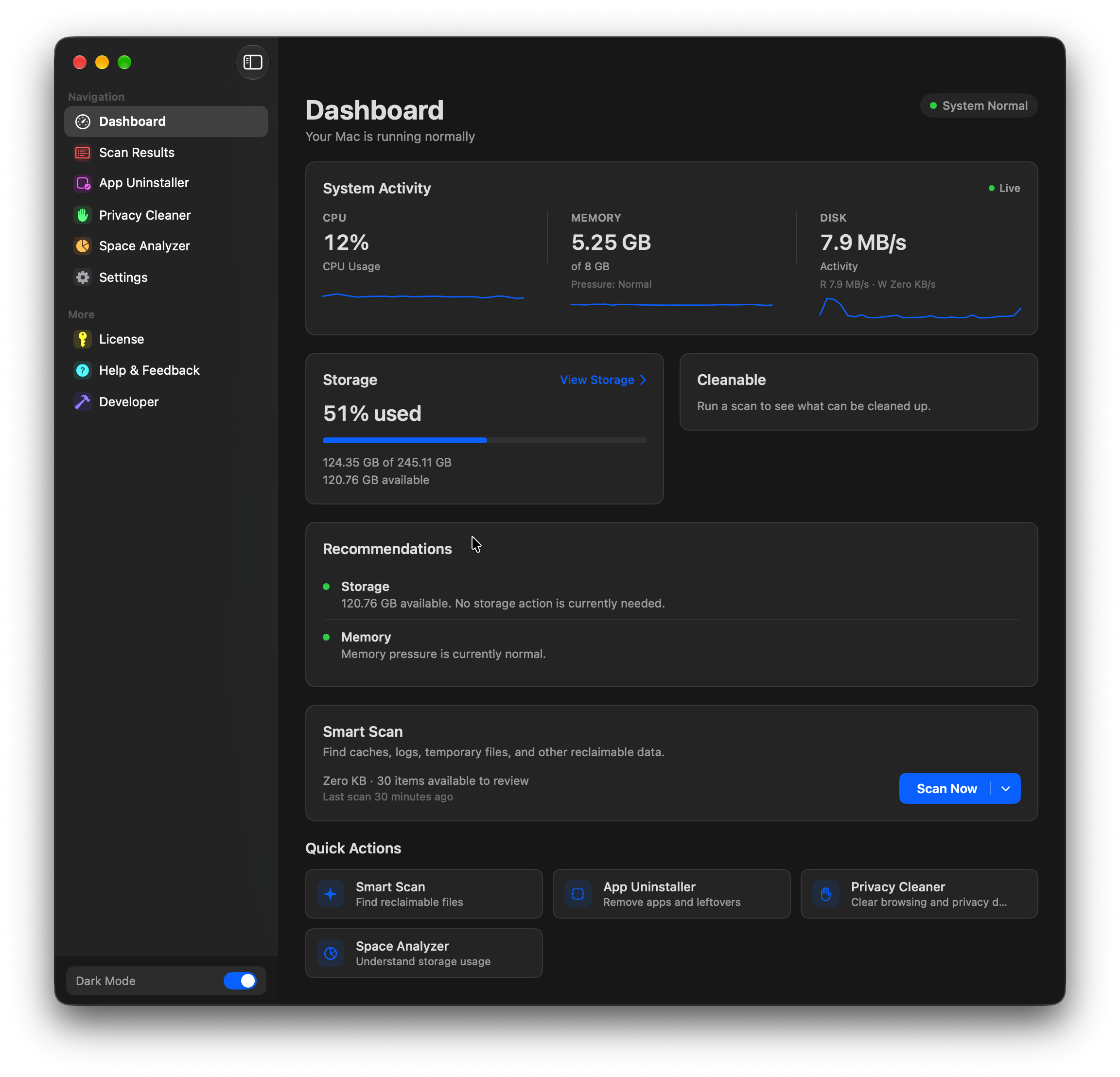
See your Mac at a glance.
Live CPU, memory and disk activity, storage for your Mac's disk and any connected external disks, and a Smart Scan card to start a scan.
Surface Clean or Deep Clean. You decide when.
Surface Clean looks at app caches, logs and temporary files. Deep Clean also covers system caches, large files and duplicate files. Neither runs until you start it.
See what's using space. On every disk.
Browse what takes up room on your Mac and on connected drives, then move what you don't need to the Bin yourself.
Shows what's using space on your Mac's disk. Open any folder and move items to the Bin yourself.
The same view for connected USB and Thunderbolt drives. Items go to that disk's Bin, and Time Machine disks are left alone.
A few everyday utilities, built in.
Remove an app and its related files.
Uninstall an app together with the files that belong to it. The Leftovers list finds files left behind by apps you've already deleted.
How OneClean stacks up against paid apps.
Each is a good app at what it does. Here's where OneClean matches them, and where it doesn't yet.
| Feature | OneClean | CleanMyMac | DaisyDisk | App Cleaner & Uninstaller |
|---|---|---|---|---|
| Price (1 Mac) | Free | $39.95 / year | $9.99 once | $14.95 / year |
| Clean caches, logs and temporary files | Yes | Yes | — | — |
| Find large files | Yes | Yes | Yes | — |
| Find duplicate files | Yes | Yes | — | — |
| See what uses space, including external disks | Yes | Yes | Yes | — |
| Uninstall apps with their related files | Yes | Yes | — | Yes |
| Malware scanning | — | Yes | — | — |
| Notarized by Apple | Not yet | Yes | Yes | Yes |
Prices are list prices for one Mac in US dollars, checked October 2026. Features are compared on what each developer documents. CleanMyMac, DaisyDisk and App Cleaner & Uninstaller are trademarks of their owners. OneClean isn't affiliated with them.
Completely free. Every feature.
No trial, no subscription, no ads.
Questions, answered.
No. Scan results are grouped for you to review, and every removal is confirmed before it happens. By default, removed items go to the Bin.